The difference in one sentence
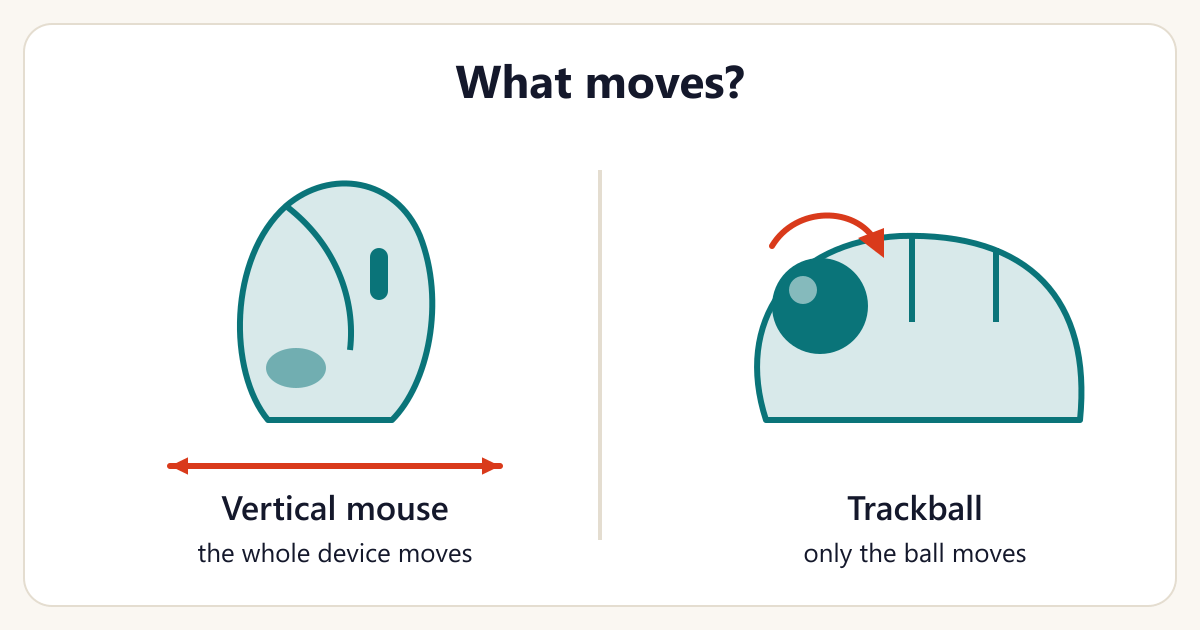
A vertical mouse turns your hand to a handshake position and you still move your arm to move the pointer. A trackball stays where it is, and you roll a ball with your thumb or fingers.
Side by side
Canada's occupational safety centre describes both: a vertical mouse keeps the hand in a handshake position and moves the whole arm (opens in a new tab), while a trackball lets the arm and hand stay in one place and can help where space is limited.
| If you | Start with | Because |
|---|---|---|
| Want the smallest change in how you point | Vertical mouse | You still slide the device and click |
| Have little room beside your keyboard | Trackball | The device does not need space to travel |
| Use your left hand | A left-handed or ambidextrous model | Our one published trackball is right-handed |
| Want control with your fingers, not your thumb | Finger trackball | We have none published right now |
Vertical mice
Size matters, because the shape is tall and your hand rests on its side. Logitech states a 57 degree angle for both the MX Vertical and the Lift. Not every maker states an angle. See all the vertical mice compared.
Before you compare shapes, measure your hand so you can read each size claim.
Trackballs
Only one trackball is published in our catalog right now, the thumb-operated Logitech ERGO M575S. The finger-operated Kensington models we checked on 2026-11-25 were marked as no longer available on the maker's own site.
Pointing with a thumb ball is a different skill from sliding a mouse. Give yourself time with it, and check the return terms before you buy.
How to decide
If you want a small change from what you do today, start with a vertical mouse. If desk space is tight, look at a trackball. Our MX Vertical and M575S comparison sets one of each side by side, and the Mouse Finder checks handedness, system and size.
Whichever you pick, the same Canadian guidance suggests holding the device loosely with a relaxed grip.
Common questions
Which is easier to learn?
A vertical mouse keeps the usual sliding motion, so less changes. A trackball moves the pointing job to a ball. We have no measured learning times for either.
Which needs less desk space?
A trackball needs room for its body only, because it stays still. A vertical mouse also needs room to move.
Is one of them better for comfort or health?
We do not make that claim. Comfort differs between people, and a maker's comfort claim is not evidence about you.
Are there left-handed options?
There is a left-handed Logitech Lift. Our one published trackball is right-handed.
Do both work with my computer?
It depends on the model. Check the operating-system line, and read what compatibility claims mean.
Why do you list only one trackball?
We publish products only with sourced specifications and a current maker listing. Other trackballs we checked did not meet that.
The trackball in our catalog

We feature the Logitech ERGO M575S because it is the only trackball we publish. It is thumb-operated and right-handed, and Logitech gives no measured hand size for it. We have not tested it; we read the maker's pages.
As of Nov 26, 2026, 1:02 AM PST. Product prices and availability are accurate as of the date/time indicated and are subject to change. Any price and availability information displayed on Amazon.com at the time of purchase will apply to the purchase of this product.
The Amazon link is an affiliate link. We may earn a fee if you buy, at no extra cost to you.
Sources and further reading
- Office Ergonomics: Computer Mouse, Selection and Use (opens in a new tab), CCOHS. Supports: How vertical mice and trackballs differ in motion and space, and holding a mouse with a relaxed grip.
- MX Vertical product page (opens in a new tab), Logitech. Supports: The 57 degree angle.
- Lift product page (opens in a new tab), Logitech. Supports: The 57 degree angle.
- ERGO M575S product page (opens in a new tab), Logitech. Supports: The thumb-operated trackball.
We opened these pages on November 26, 2026, except where a product page note gives an earlier date for a specification.
See which style fits your needs
The Mouse Finder asks for your hand, system, connection and the kind of device you want.